
leave a message
If you are interested in our products and want to know more details,please leave a message here,we will reply you as soon as we can.
The lighting time of solar street lights is mainly adjusted through controllers, including remote control settings, manual button operations, and intelligent system remote control.
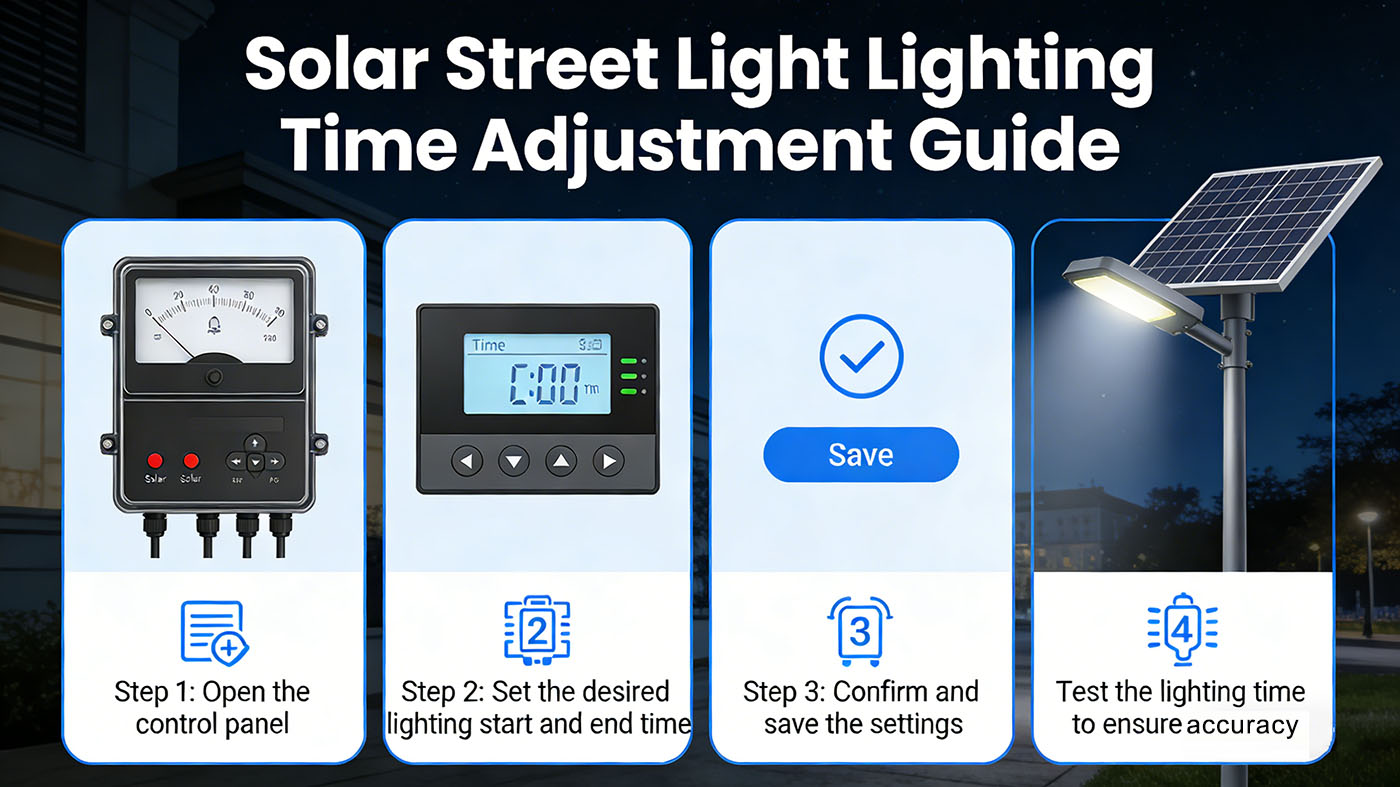
The operation is mainly based on button settings, and high-end models support remote control/APP remote settings. The specific method depends on the street light model and configuration.
Solar street lights use remote control for timed settings
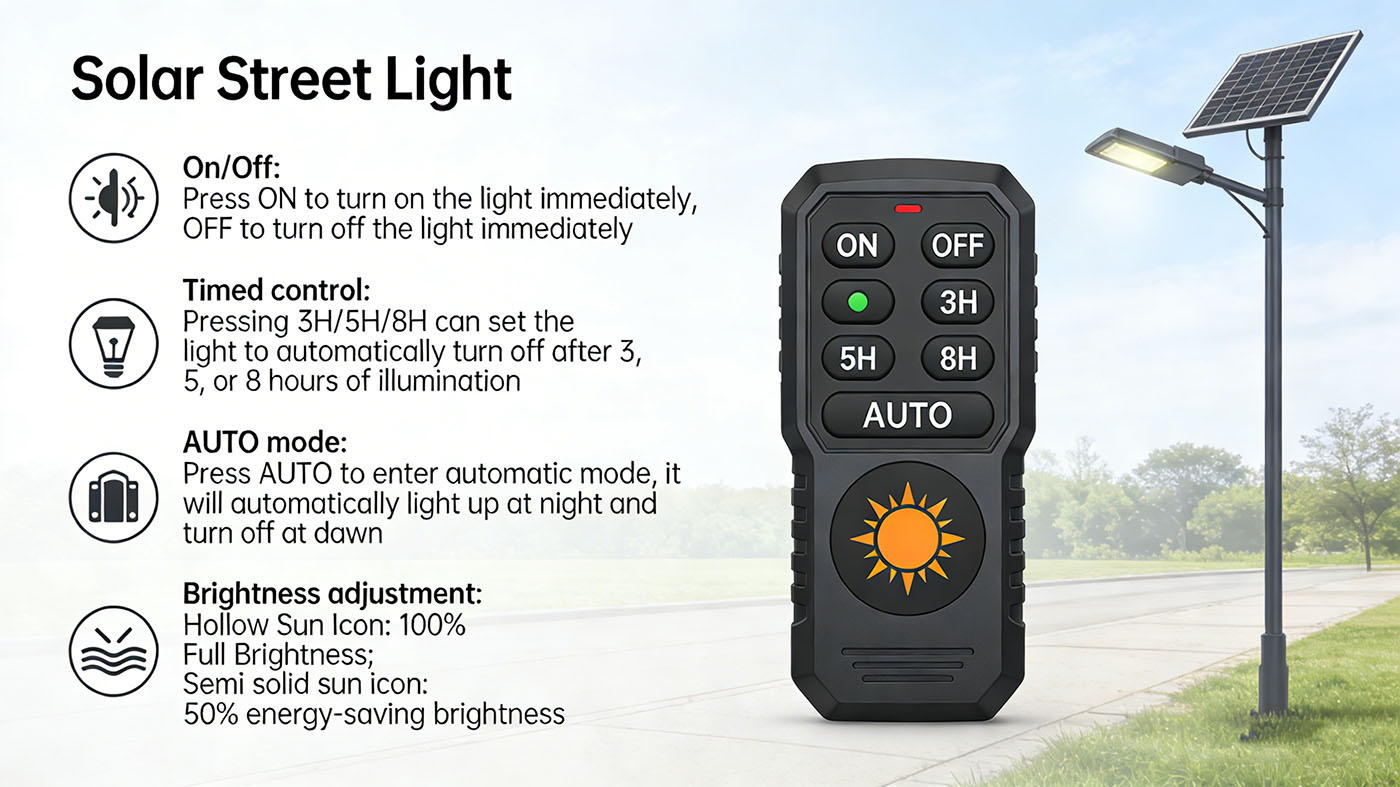
Suitable for most modern solar street lights, easy to operate and no need to touch the lamps.
On/Off: Press ON to turn on the light immediately, OFF to turn off the light immediately.
Timed control:
Pressing 3H/5H/8H can set the light to automatically turn off after 3, 5, or 8 hours of illuminatio.n
Press AUTO to enter automatic mode: it will automatically light up at night and turn off at dawn.
Brightness adjustment:
Hollow Sun Icon: 100% Full Brightness.
Semi solid sun icon: 50% energy-saving brightness.
Solar street light manual adjustment controller (applicable without remote control)
Some street lamps are equipped with physical control panels inside the lamp posts or lamp heads, which can be adjusted through buttons or knobs.
Open the protective cover of the controller and find the "SET" button or time adjustment knob.
After entering the time setting mode, adjust the light on time (such as 18:30) and light off time (such as 05:00).
Solar street lights support dual modes of "light control+time control": they automatically turn on when it gets dark and turn off according to the set duration, making them more intelligent and energy-efficient.
Attention: The interface of controllers for different solar street light brands may be labeled in English. It is recommended to refer to the instruction manual to avoid incorrect adjustment that may cause the lights to not turn on.
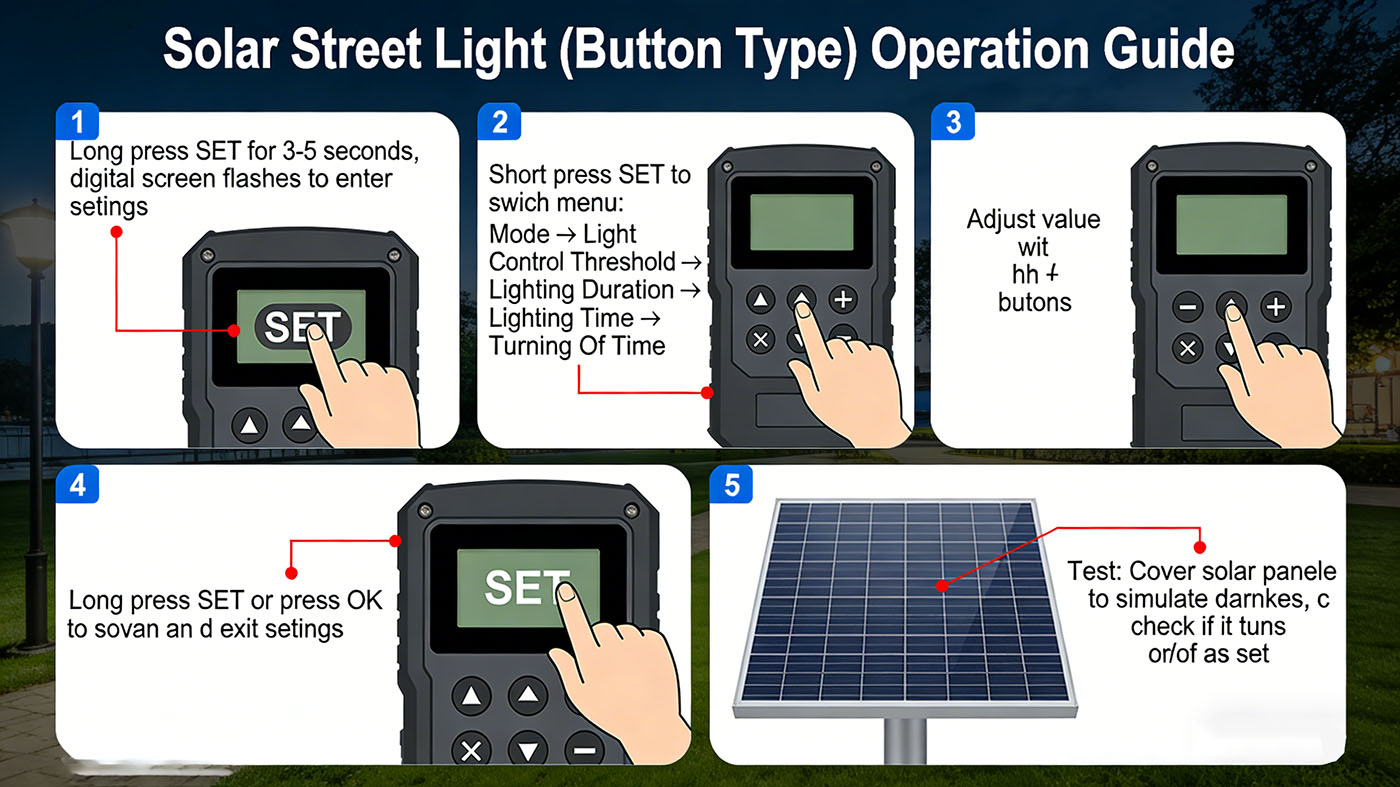
General operation steps for solar street lights (button type)
Long press SET for 3-5 seconds, the digital screen will flash and enter the settings.
Short press SET to switch menu: Mode → Light Control Threshold → Lighting Duration → Lighting Time → Turning Off Time.
Adjust the value with+/-.
Long press SET or press OK to save and exit the settings.
Test: Cover the solar panel to simulate darkness and see if it turns on and off according to the settings.





 IPv6 network supported.
leave a message
Scan to Wechat :

Scan to WhatsApp :